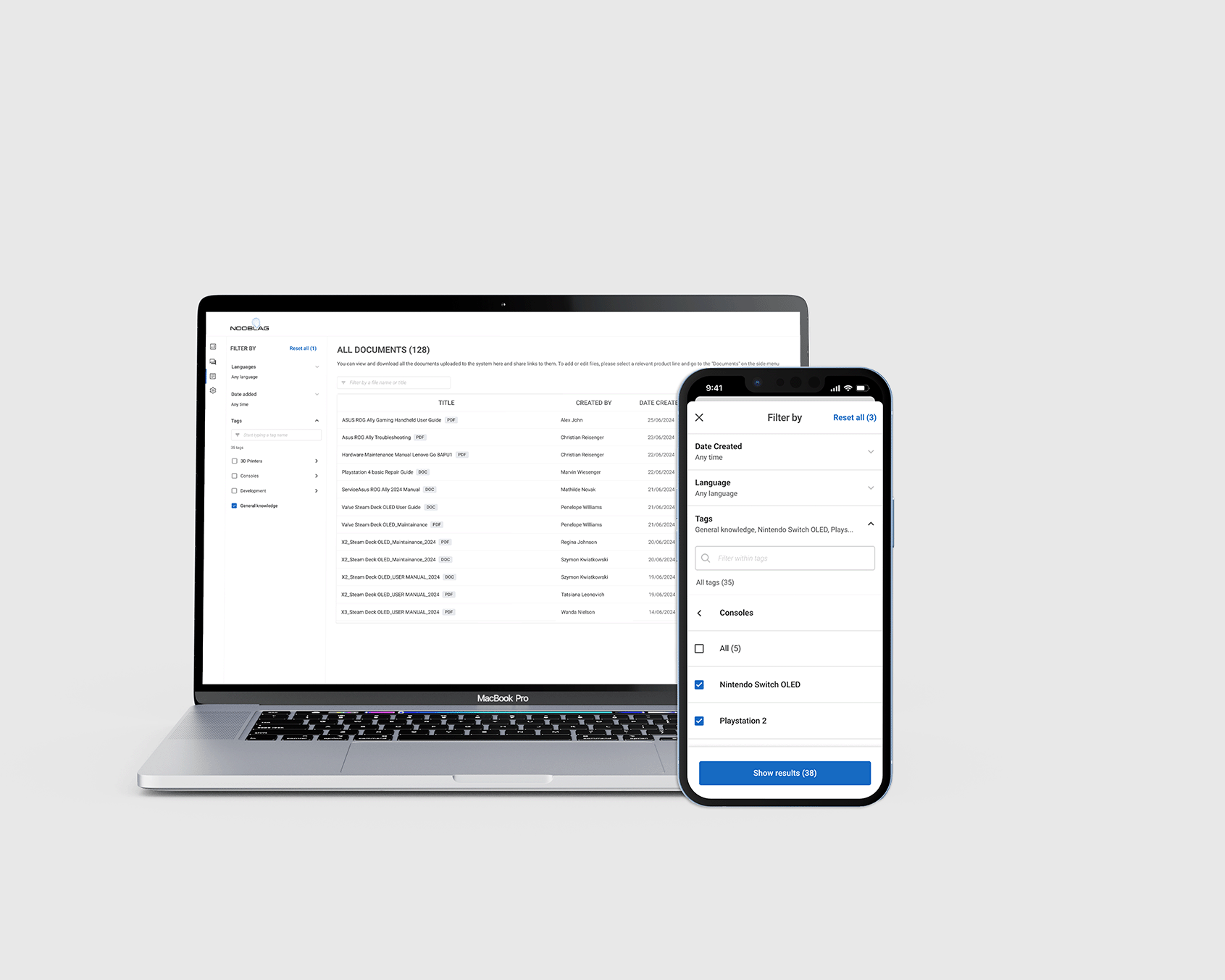
Filtering for AI tagging
Finding the right document in a huge knowledge base can be challenging. In this project, I created a filtering system for documents in a personalised database, making it easier for users to quickly find what they need.
Project Info
Role
UX/UI Designer
Tools
Figma
Device
Smartphone, Web

#1 What is AI Tagging?
AI tagging is a machine learning process where algorithms recognise the content of unstructured data and assign relevant metadata tags, making the content searchable. For example, an image recognition system can automatically label photos as "cat" or "dog," making it easier to organise large collections of photos of these animals.
Not all tags important to the algorithm are relevant to the end user. To make a knowledge-base system with over 300 documents user-friendly, we needed to display tags in a way that supports efficient searching. The client requested that the system organises tags into folders and subfolders thereby forming a hierarchical structure.
#1 Overview
Problem (s)
- Too many documents the database so users can not know which document they need unless they know its name
- Unstructured long lists of tags makes it harder for users to find the right document
- Filters were hidden from users which made them less likely to use them
OUTCOME
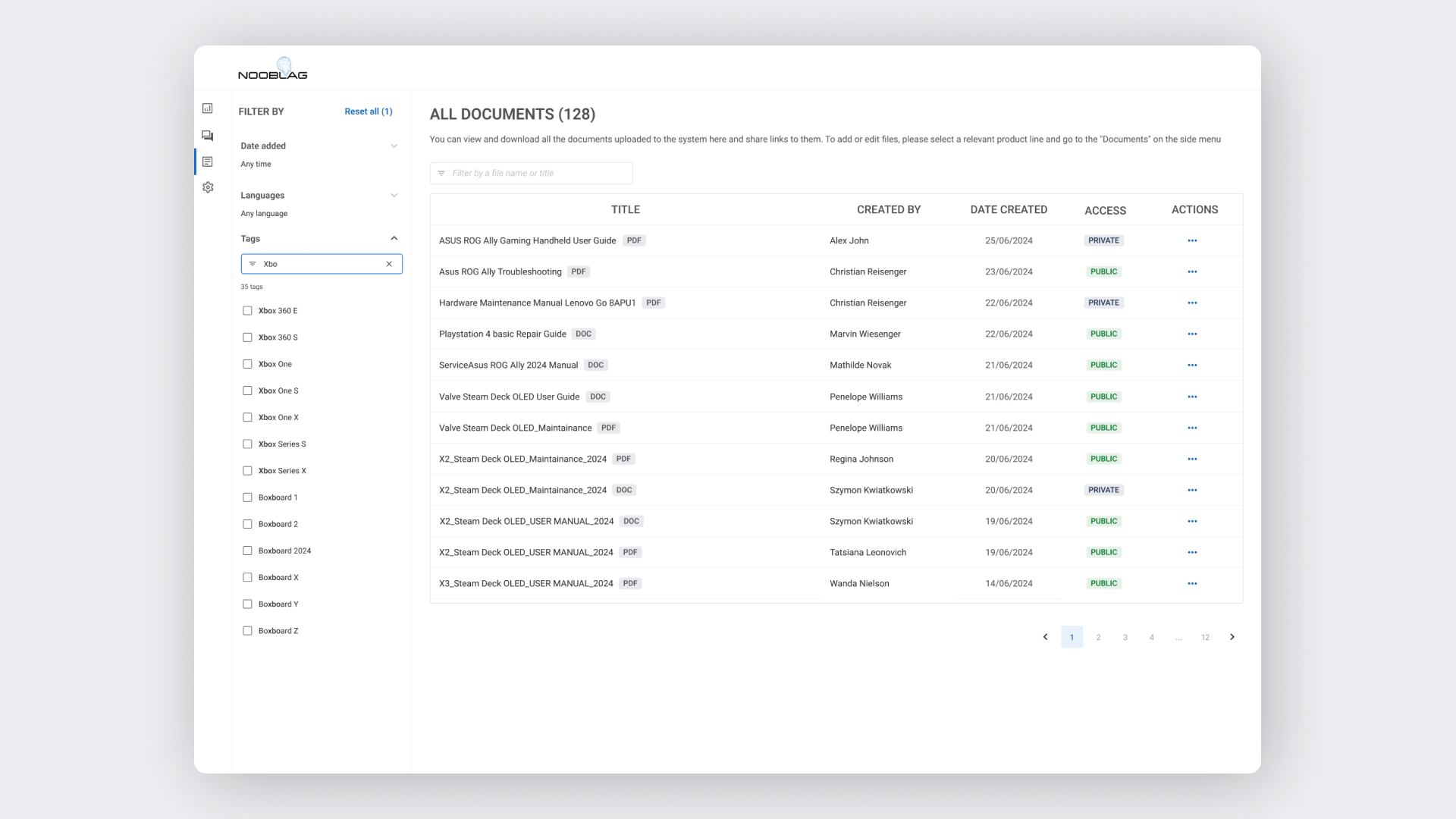
- I created a folder and subfolder structure to allow users to group tags into larger categories. Additionally, we enabled partial match search functionality
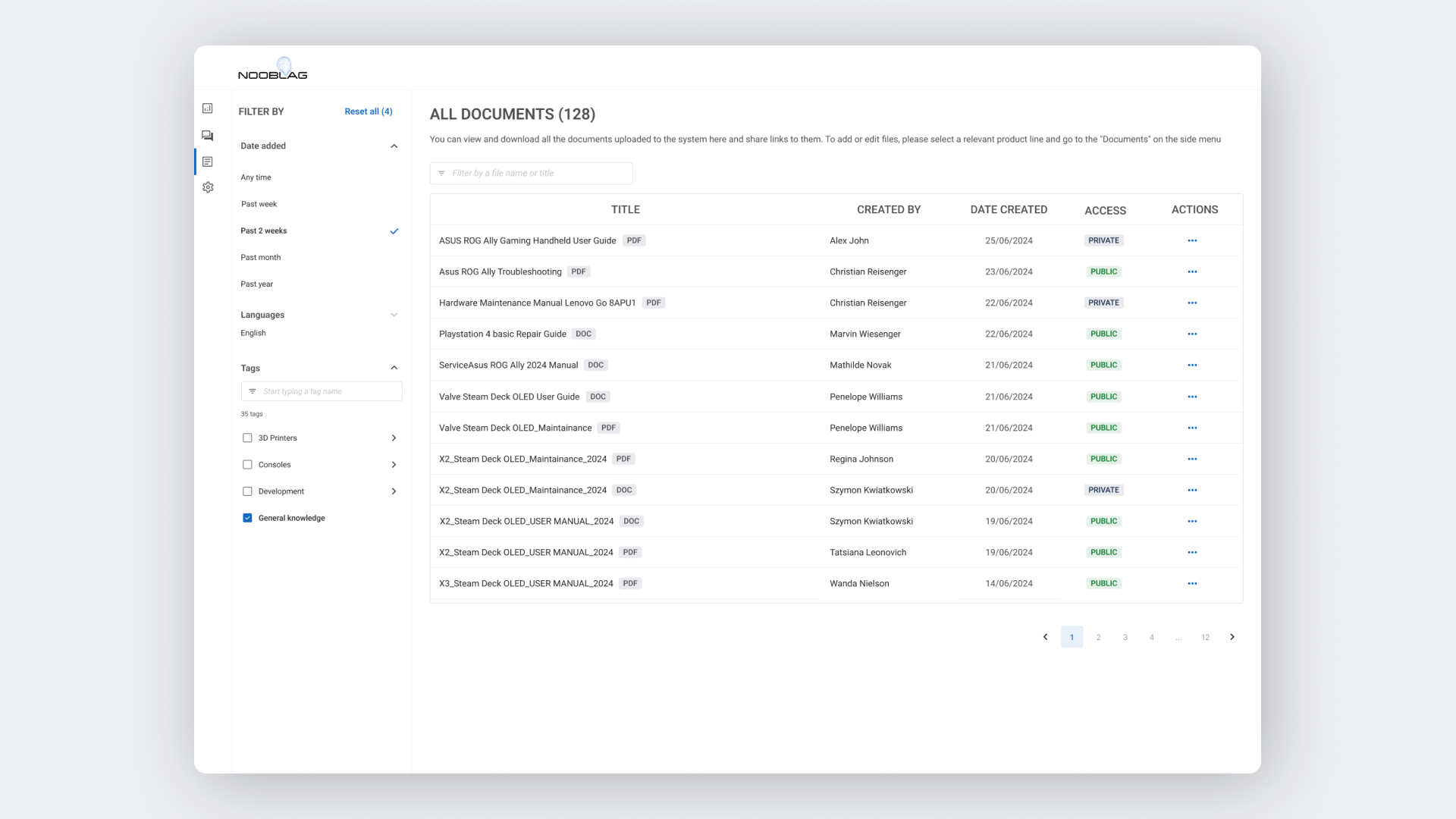
- I placed the tags on the left panel on the web desktop version so that they are always visible to users
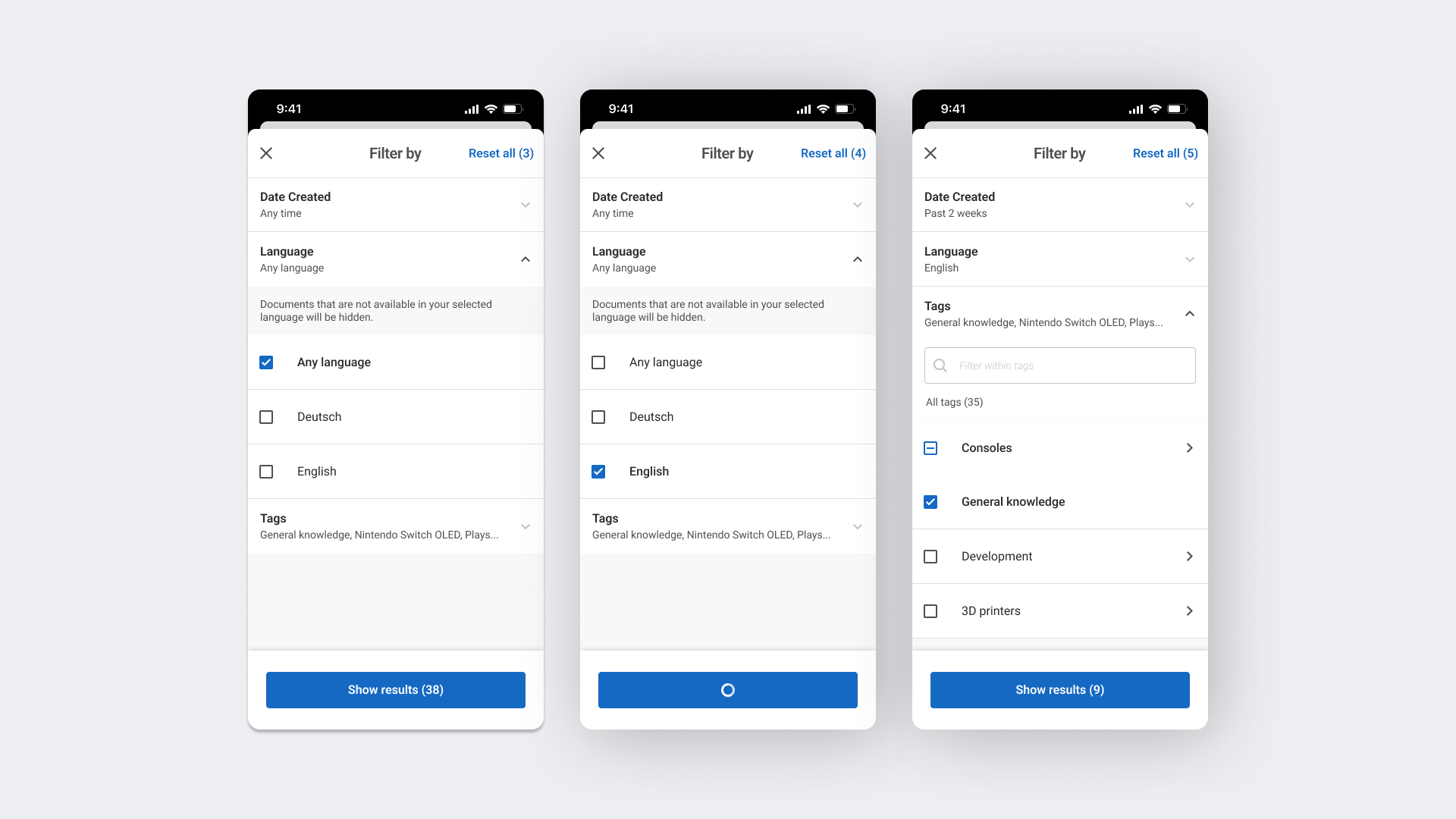
- On the mobile version, I placed the tags in a pop-up to allow users to focus on filtering options without distractions and to optimise the use of space
#2 Design Process

1. Ideation
Ideated functionalities together with the Product Team Lead and gathered information on technical feasibility from DEV Team

2. User stories
Formulated user stories

3. Creating Tag
structure
Developed the concept of how to group and display relevant tags

4. Prototype MidFi
Created MidFi wireframes

5. Client Feedback
Gathered the feedback on the concept and MidFi wirefreames from client
6. Final Design & Documentation
Iterated on the prototype and prepared the documentation for developers
#4 Final Design
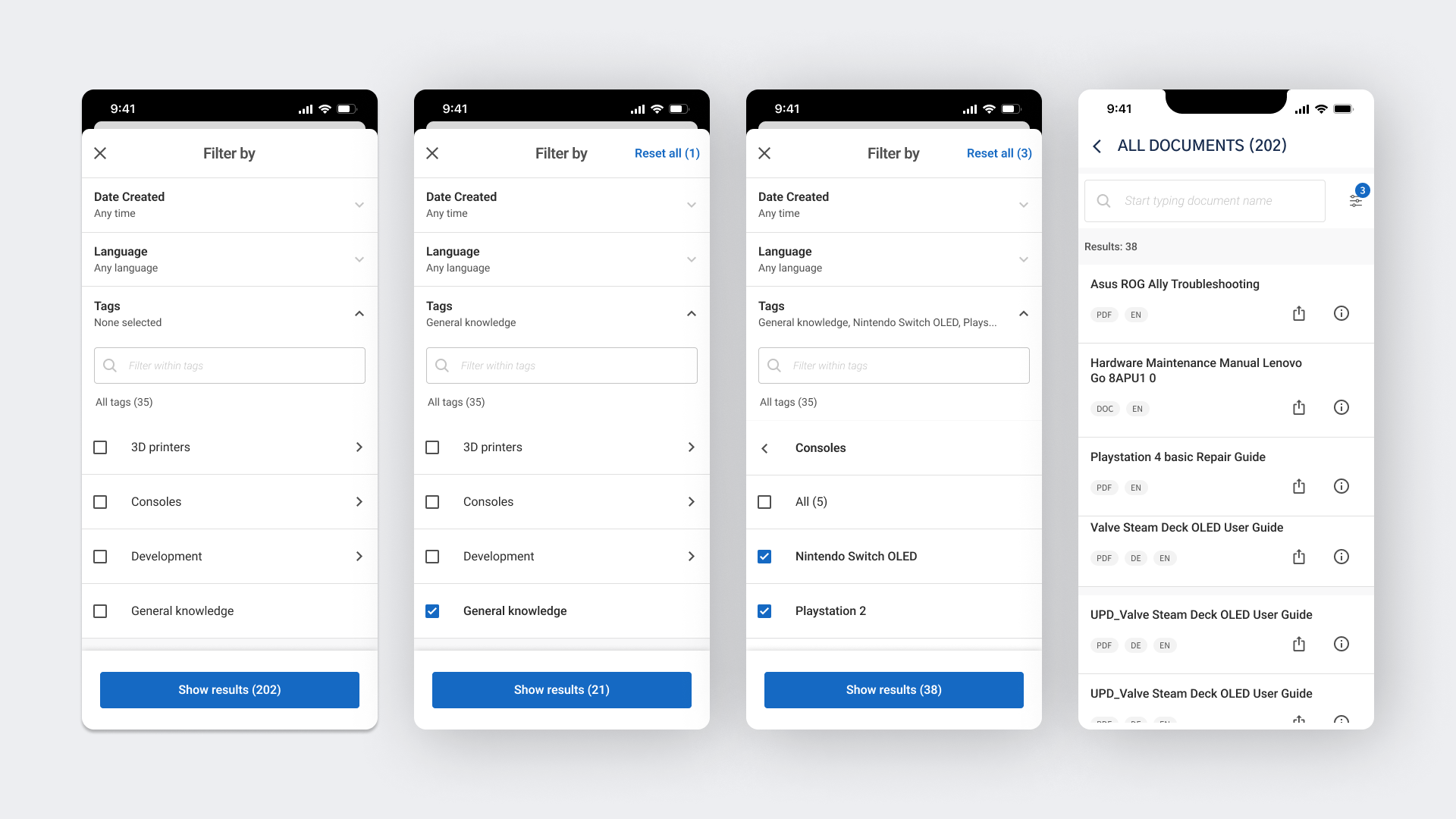
USEr STORY 1: FILTERING BY TAGS
As a user, I want to filter documents by tags so that I can easily find the documents relevant to my needs.
Key design decisions
- The “Tags” filter is open by default because it is less common than filtering by date or language, and should be more visible to users.
- On the mobile version, we show the expected number of results as different filters are being applied, so users can deselect individual filters if the number of results is unsatisfactory without closing the pop-up.

USER STORY 2: SEARCH WITHIN TAGS
As a user, I want to search for tags using partial matches so that I can quickly find the tags I need even if I don't remember the exact name.

User Story 3: FILTERING BY TIME
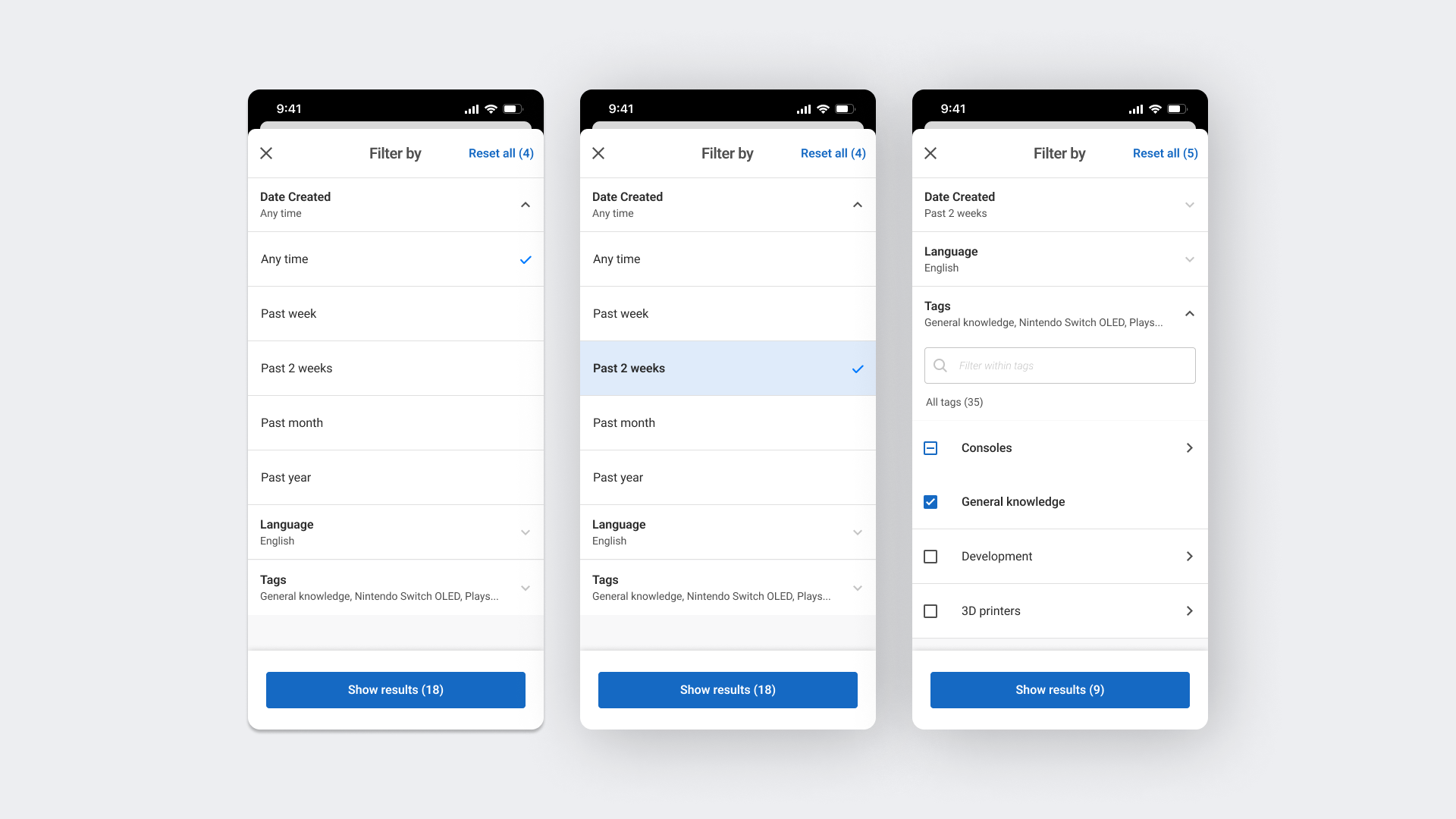
As a user, I want to filter documents by time range so that I can easily find documents created or modified within a specific period.
Key design decisions
- We chose broader filter ranges (week, 2 weeks, month, year) for this iteration to avoid overwhelming users with specific date inputs.
- I proposed the time range options and discussed them with the client before the final iteration.
- The time filter is a single choice to prevent unnecessary overlaps.
USER STORY 4: Filtering by LANGUAGE
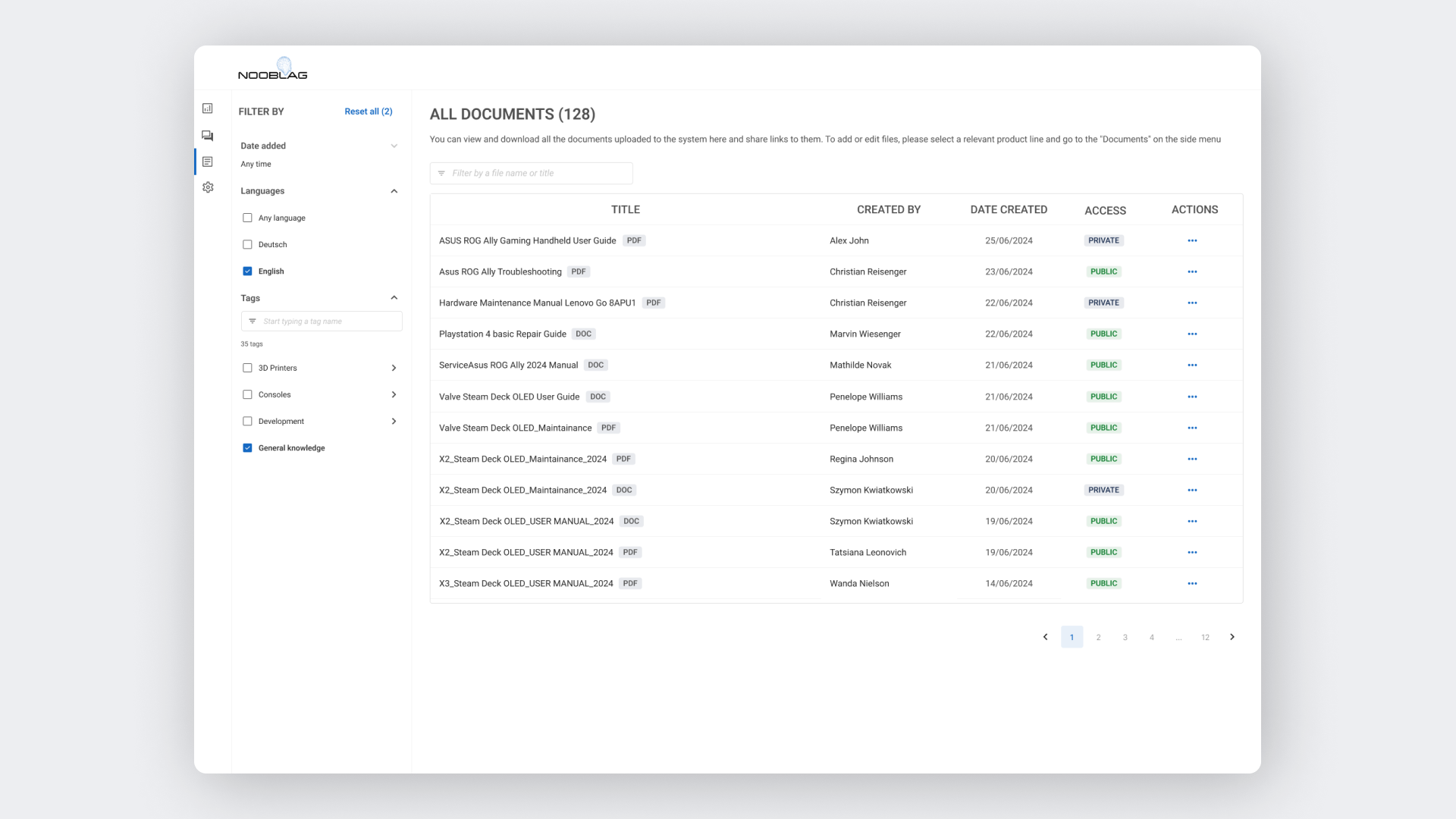
As a user, I want to filter documents by their language so that I can easily find documents in the languages I understand or am interested in.
Key design decisions
- Added an “Any language” option as there will be more than five languages available in the future
Interested in working together?
Let’s connect!
Contact me to collaborate on a product, discuss design and research issues, or chat about great books